Note: The following content is only applied for Gateway login password reset. If you need to override a supervisor password on Gateway, click Here.
Part 1: What to Do When You Forgot Gateway Laptop Password?
The PC itself doesn't offer you a way to factory reset password on gateway. When you forgot Gateway password in Windows 8/7/Vista/XP, etc., the best solution to reset password on Gateway laptop is to use a program with 100% Windows password reset rate. Here we strongly recommend you Windows Password Recovery Tool.
Note: Factory restore Gateway laptop Windows 8/7/Vista/XP will also save you out from login password forgotten but you will lost all data on your PC.
I: What Is Windows Password Recovery Tool?
It is the best Windows admin password recovery software for Gateway laptop users to easily and fast reset Gateway password for both administrator and user accounts on all Windows OS, such as Windows 10/8.1/8/7/XP/Vista, Windows Server 2012(R2)/2008(R2)/2003(R2), etc.
II: How to Reset Gateway Password on Laptop or Notebook in Windows 10/8.1/8/7/XP/Vista, etc.?
The way of how to recover Gateway laptop password on Windows OS by using Windows Password Recovery Tool is very easy to handle. Here the steps to reset Gateway administrator password on laptop in Windows are presented as follows. (User account password recovery is the same.)
(P.S.:The same steps also apply to solve the problem on how to recover password for laptop.)
Step 1: Download Tool
Download and install Windows Password Recovery Tool on any available PC.
Note: For gateway Windows local account password reset, you just need to download the standard version of Windows Password Recovery Tool (cheap and able to reset password); for Windows 8.1/8 Microsoft account password and local account password reset, the ultimate version is necessary.
Step 2: Burn Windows Password Recovery Tool to CD/DVD or USB Flash Drive
Here USB Flash Drive is the example to show.
Insert a USB Flash Drive into a USB port on the available PC and specify the USB burning drive from the pull-down list of the USB flash options. Click "Burn" button (You can also use the Advanced Recovery Wizard to burn bootable password reset USB).

- 1. Click "Yes" button
- 2. Select "OK" in the pop up burning completed successfully window.
Step 3: Reset Gateway administrator password on laptop.
- 1. Insert newly created USB Flash Drive and restart your Gateway laptop. Then you need to change the BIOS order to boot your gateway notebook from usb flash drive (For Windows 8/8.1 preinstalled gateway notebook, you need to disable UEFI Secure Boot firstly and then set the BIOS in the traditional way).
- 2. Select Windows installation to remove the password, and then choose "Reset your password". Click "Next" to proceed.
- 3. Choose "administrator" account, select "Remove the password" and click "Next" to proceed.
- 4. Click "Reboot" to restart your Gateway laptop and login Windows system without any password.
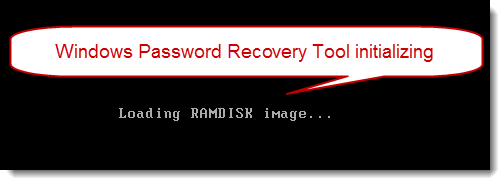
Above are all steps on how to change password on gateway laptop when you forgot the password. What's more, as a Gateway notebook user of the hot series below, you can use Windows Password Recovery Tool whenever you need to reset Gateway laptop password.
| Gateway NV56R | Gateway NE46R | Gateway NV52L |
| Gateway NE71B | Gateway NV47H | Gateway ID47H |
| Gateway NV57H | Gateway ID57H | Gateway ID49C |
| Gateway NV55S | Gateway NV50A | Gateway NV49C |
| Gateway LT Series | Gateway LT2804c-131G25 | Gateway NV44 |
| Gateway P | Gateway M | Gateway T-68 |
| Gateway MT | Gateway TC | Gateway MX |
| Gateway UC | Gateway LT Series | Gateway NE Series |
Part 2: How to Create Password on Gateway Laptop?
The instructions of creating Gateway password for administrator and user accounts on laptop are similar. Here we take administrator password creation for example.
- Step 1: Start Gateway laptop, and click the account named Administrator to log in at the welcome screen.
- Step 2: Type "Administrator" in the User Account box, leave the password box blank, and then click the "OK" button.
- Step 3: Click "Start" button, and "Control Panel" to open the Control Panel window.
- Step 4: Click "User Accounts" tool, click on the Administrator account and "Create a Password".
- Step 5: Enter the password you have in mind, enter it a second time to confirm and click "Create Password" button to complete the process.
Note: If the Administrator account is not displayed, press "Ctrl+Alt+Delete" twice to open the login window.
World's 1st Windows Password Recovery Software to Reset Windows Administrator & User Password.
Free Download Free Download